How to create a great seating chart?
A layered process balances comfort, logistics, and conflict prevention.
Senior Editor · · 6 min read
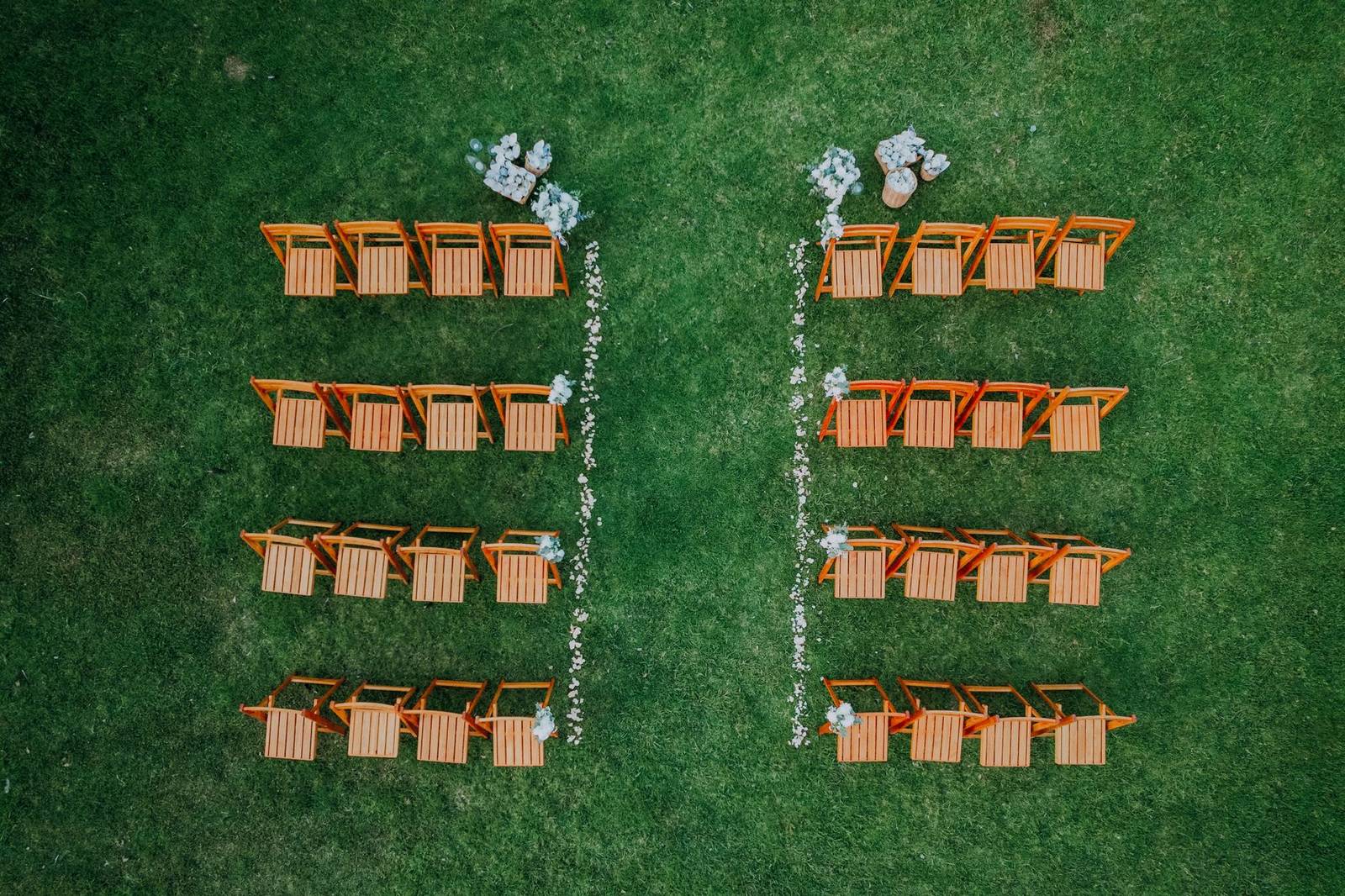
- Seating determines whether guests feel comfortable, find conversation, and stay relaxed — or spend the event navigating awkwardness
- Practical downstream effects: servers can move efficiently, caterers match meals to the right people, emergency exits stay clear
- Interpersonal stakes: strategic separation of estranged family members or divorced parents prevents conflict before it starts
- Rule of thumb — events over 75 guests or any event with seated dining benefit clearly from a chart; smaller events still gain from the structure
- Framing the rest of the piece: a great chart isn't assembled in one pass — it's built in layers, each step depending on the one before it
Getting the venue layout before placing a single guest
- Request the full venue layout from the venue directly: dimensions, entry and exit points, kitchen access, restrooms, stage or dance floor position, electrical outlets
- Space allocation benchmarks: 10–12 sq ft per guest for banquet-style round tables; 8–10 sq ft for family-style long tables; add 20–25% of gross square footage for aisles, service paths, and buffer zones near the entrance
- Sketch or map the room before assigning anyone — identify where the natural focal point is (stage, altar, podium) and where blind spots or obstructions fall
- Key circulation rules: guests need clear sight lines to the seating chart on entry, servers need unobstructed kitchen-to-table paths, and no table should become an "island" that blocks access to others
- The layout also determines head table configuration — a sweetheart table (couple only) needs far less linear front-wall space than a traditional head table seating 8–12, and opens up more flexibility in the rest of the room
Choosing table shapes and configurations that match the event's feel
- Four basic shapes: round, rectangle, oval, square — each with different social and spatial trade-offs
- Round tables: more legroom per guest, naturally inclusive conversation, only immediate neighbors need careful pairing
- Square and rectangular tables: easier cross-table conversation, typically fit more efficiently into a rectangular room
- Long banquet tables: create a family-style communal atmosphere; can be arranged in U-shapes, broken into thirds, or joined in an open square to manage scale
- Theater and open-square layouts serve higher-capacity or more formal events differently — worth sketching both before committing
- Table shape choice feeds directly into how many guests each table holds, which determines how groups get divided in the next step
Building the guest list into working groups before RSVPs are final
- The most common mistake: designing a floor plan before the final guest count is confirmed, then scrambling when actual attendance differs
- Target: start the seating chart once 90–95% of RSVPs are in; aim to finalize 3–4 weeks before the event; place signage orders at least 2 weeks out
- Don't wait for final numbers to start — as soon as invitations go out, begin sorting guests into natural categories: family sides, work colleagues, college friends, high school friends, etc.
- The guest list document should capture more than names: note relationships, group affiliations, dietary restrictions, and accessibility needs from the start
- Having rough groupings built early means that when final RSVPs arrive, only adjustments are needed — not a rebuild from scratch
Assigning seats in a deliberate order, from the center outward
- Start at the couple's or host's table and work outward — the anchor point for the whole room
- Second-best seats go to parents or guardians; VIPs, speakers, and guests with young children get assigned next, before filling general seating
- Guiding principle for groupings: seat people with others they already know — at minimum, each guest should recognize at least one other person at their table
- Organize by relationship category (college friends together, work colleagues together, family by side) rather than mixing strangers across every table
- Exception for corporate or gala events: mixing personalities across tables encourages networking and can be the explicit goal — donor and sponsor groupings at charity galas serve a strategic purpose
- Resist the urge to mix purely for variety at weddings or personal celebrations; comfort and familiarity reduce the social friction that undermines the event
Working through accessibility, sensitivities, and family dynamics
- Guests with mobility aids: place near accessible entry points and away from table clusters that create navigation obstacles
- Guests with hearing aids or sensitivity to loud sound: keep away from speaker stacks and the band — not just at the far end of the room, but specifically not in the speaker's line of projection
- Older guests: generally prefer distance from the main music source while still having a sightline to the action
- Children's table: position near parents, away from the kitchen, and not adjacent to exits; include activities at the table setting
- Estranged relatives or divorced parents: map out the tension points explicitly before finalizing — a separate review pass focused only on conflict pairs
- Dietary restrictions: seat guests with special meal requirements where catering staff can identify and serve them without confusion — coordinates with the caterer before the event
Building in buffer capacity for last-minute changes
- Reserve 1–2 empty seats per table or keep one full "overflow" table unassigned until the week of the event
- Prepare a backup configuration (or two) for the most likely scenarios: a late addition to a full table, a no-show that leaves one person stranded alone, an unexpected plus-one
- Any late change needs to propagate to all parties — venue, caterers, and the guests affected — not just the chart document itself
- The goal is a chart that absorbs small disruptions without day-of stress; flexibility isn't an afterthought, it's a structural feature
Running the chart through a multi-person review before it's final
- Review sequence: co-host or partner first, then parents or key family members, then a trusted member of the event party, then the planner or coordinator
- What each reviewer is looking for: unintended adjacencies (two people who shouldn't be seated together), anyone accidentally left off the chart, table assignments that don't reflect the final RSVP list
- Parents in particular carry knowledge about family dynamics that the primary planner may not — their review pass is not a courtesy, it's a data check
- Lock the chart only after this round is complete; changes after this point should be treated as exceptions requiring coordination, not routine edits
Displaying the seating chart so guests can find their seats quickly
- Position the display in the foyer or cocktail hour space, before guests enter the main room — prevents crowding at the reception room entrance
- For events over 150 guests, place two copies at opposite ends of the pre-entry space to split the crowd and reduce wait time
- Always alphabetize by last name — guests locate their own surname faster than any other sorting method; use the full name as it appeared on the invitation
- Alternative display format: by-table listing works well for visual or color-coded charts; alphabetical listing works better for large guest counts where speed of lookup matters most
- Large format displays can run up to 24 x 36 inches; size to the guest count and venue entry space
- Seating chart vs. place cards: a chart assigns guests to a table; place cards assign an exact seat — use one or both depending on how precisely you need to control adjacencies at each table
Using digital tools to manage complexity and keep everyone aligned
- Paper and sticky-note charts don't share, sync, or update — digital charts can be distributed to the venue coordinator, caterer, and co-planners simultaneously
- Digital tools can attach guest data (dietary restrictions, accessibility needs, meal preferences) directly to seat assignments — that information travels with the chart rather than living in a separate document
- Last-minute changes can be made and re-shared immediately, keeping all parties on the same version without phone calls to cross-check
- For simpler events, a well-structured spreadsheet with color coding by group achieves most of the same benefits; the key is a single source of truth that everyone working the event can reference
- The choice of tool matters less than having one canonical version — version confusion on event day undoes the work of every earlier step