Wedding Seating Plan Templates That Sync With Guest Data
Synced guest data keeps seating charts accurate and allergies visible through final count.
Most guest-list spreadsheets start small and end up with 14 or more columns before the couple finally gives up on them. It starts simply enough: a name, an RSVP status, maybe a plus-one. Then the caterer asks for a meal count by option, so a column gets added. Then an aunt brings up a severe nut allergy, so in goes another column. A colleague turns out to be gluten-free. A plus-one's name is still unknown three weeks out. The venue seats ten per table, so a table-assignment column goes in too. By the time the wedding is close, the spreadsheet looks less like a guest list and more like a database nobody designed on purpose.
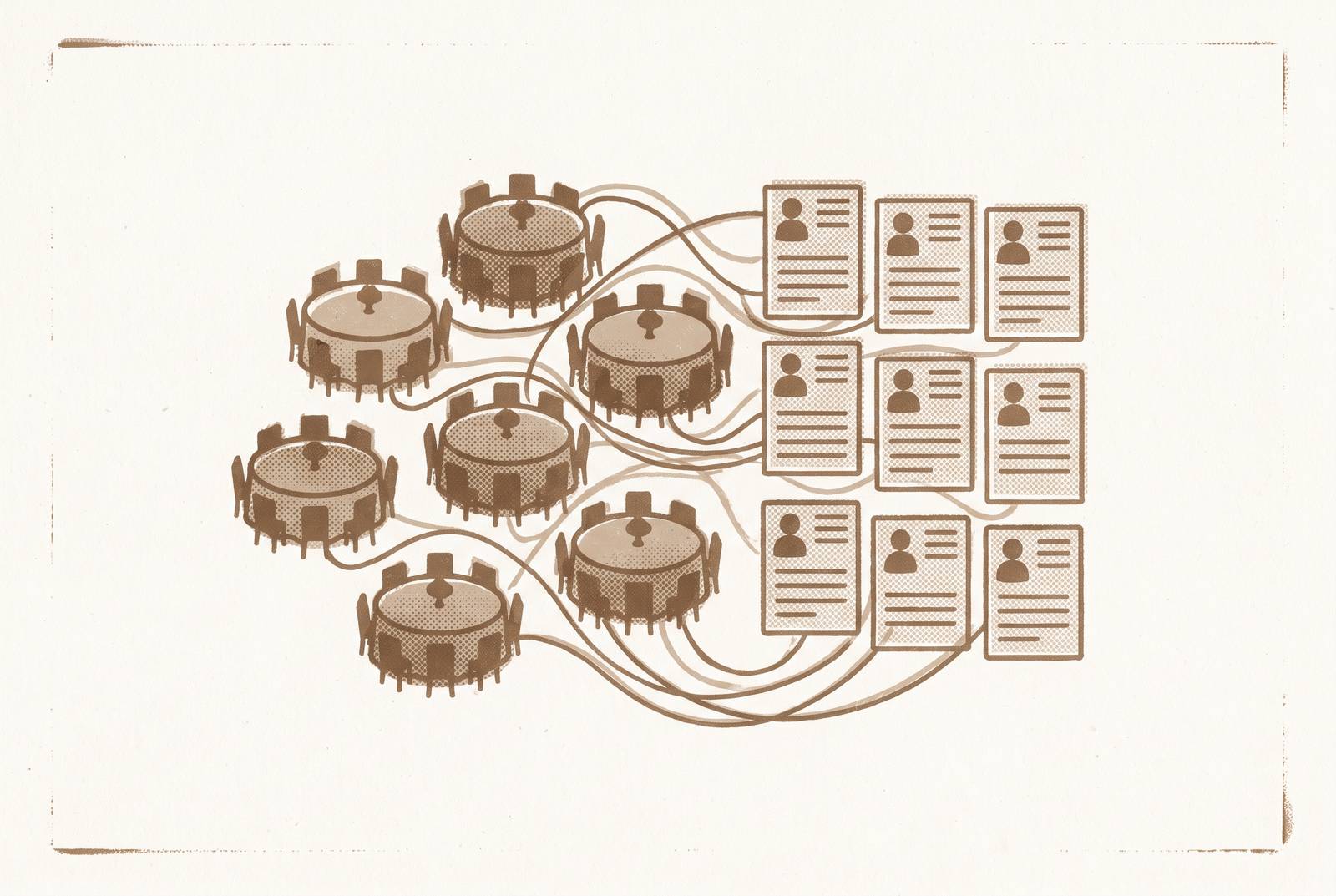
That sprawl is a symptom. The real failure is that RSVPs land in one place (often a form), dietary notes get typed into a spreadsheet, and the seating chart lives in a third tool. None of these three systems knows what the others contain. Updating one does not update the others, so every change has to be carried by hand, from memory, under deadline pressure.
Picture the week before the wedding. One guest emails to say they can't make it after all. In a disconnected setup, that single decline has to be entered in at least three separate places: the RSVP tracker, the seating chart, and whatever sheet the caterer's headcount is pulled from. When one of those three updates gets missed, the caterer's final count, the seating chart, and the meal tally go wrong at the same time. Nobody notices until the day itself, when there's an empty chair at one table and a short plate at another.
Meal choice and dietary requirement are not the same field, a distinction most seating templates get wrong from the start. A guest can select the vegetarian option on the RSVP and also carry a severe nut allergy. If that allergy gets folded into the same box as the meal label, it disappears. The caterer sees "vegetarian" and plates accordingly, with no indication that this particular vegetarian plate needs to stay nowhere near a tree nut. The venue has no way to catch what it was never told. This single design choice, treating meal and allergy as one field instead of two, recurs later in this piece because it's the clearest case of what "connected data" actually means in practice.
A seating plan template promises speed and a starting point, and it delivers on that promise exactly as long as it stays linked to the guest data it came from. When someone exports the chart as a static PDF or spreadsheet, the guest list keeps moving underneath it, and the template stops helping and starts to cost time. Every RSVP change after that point has to be reconciled by hand against a document that no longer reflects reality.
What a data error costs in the Australian context
For Australian couples, guest count is what moves the total cost of a wedding the most. Catering, venue hire, favours, invitations, even the size of the cake scale directly with how many people are actually coming. That makes a seating plan more than a floor-plan exercise. If it reflects confirmed attendees accurately and in real time, it doubles as a budgeting tool, because every confirmed decline or addition changes the number the caterer quotes against.
If a guest list is three names out of date, that doesn't just mean an awkward seating arrangement. It means the catering quote is built on the wrong headcount, and depending on which direction the error runs, the couple either pays for meals nobody eats or arrives short on a day when there's no fixing it. The stakes scale with the guest list. A 40-person wedding can absorb a one-guest error without much pain. A much larger wedding cannot, because the catering contract, the table count, and the floor plan all lock in around a number that needs to be right.
The totals are large, so small errors compound. A seating tool that stays synced to the live guest list does more than just keep the chart tidy. It's keeping the number the caterer bills against accurate up to the day the final count is due.
Dietary tracking as a safety issue
A missed allergy in the handoff between seating chart and caterer is a safety failure, not a scheduling hiccup, and whether it can happen at all comes down to how the seating tool is built.
The mechanism is straightforward. If a guest's dietary requirement lives only inside a notes field in the master guest list, and the seating chart that gets handed to catering staff doesn't show that requirement next to the guest's name and seat, the person plating or serving food has no way to know, because they're working from the seating chart, not the spreadsheet. If the allergy isn't on the chart, it doesn't exist as far as the service staff are concerned.
The fix is a design choice rather than a policy reminder. You need allergy flags at the seat level, on the same document the serving staff actually use, so they aren't buried in a menu label or a separate tab someone has to remember to check. A tool that only records one field per guest, meal choice or dietary note but not both, collapses two pieces of information into one and loses whichever one didn't make the cut. A guest who selects the vegetarian meal and also has a severe nut allergy needs both facts recorded and both visible at the seat. One field can't carry two different kinds of information without losing one of them.
None of this requires alarm to make the point. It just requires the seating tool to treat "what this person eats" and "what this person cannot be near" as two separate, equally visible data points, all the way through to the floor plan that catering staff hold on the day.
How guest scale changes seating tool needs
What seating tool you need depends on how many guests are coming, and manual methods stop working sooner than most couples expect.
If the guest count is small, an open seating arrangement or a hand-drawn paper diagram works fine. The whole guest list fits in one person's head, and there's no real risk of losing track of who sits where.
Once the guest count climbs into the mid-range, it doesn't. Rearranging a paper chart or a static spreadsheet by hand after every RSVP change becomes too slow to keep up with, which is the point where a drag-and-drop digital seating tool earns its keep.
At larger guest counts, dietary flags become essential rather than a nice-to-have, simply because there are too many of them to track from memory. At this scale, AI-assisted placement starts saving real time by accounting for dietary groupings, family clusters, and table capacity all at once instead of one adjustment at a time.
At the largest scale, AI-assisted seating can't do the job on its own. It needs to run alongside active coordination with the venue's own coordinator, because the seating chart and the venue's floor plan have to agree with each other exactly. At 250 guests or more, that typically means assigned seats within tables rather than just assigned tables, multiple zones across the venue, and in some cases separate floor plans for cocktail hour and for the reception dinner, since guests often move between different layouts over the course of the evening.
The practical test is simple: know which of these tiers the guest list falls into before choosing a tool, because the tool that's perfect for a small gathering will struggle at a much larger one, and the reverse is just as true.
When seating sync matters in the Australian planning timeline
Seating planning isn't a last-week task. In the Australian wedding timeline, there are two points where disconnected seating data causes real damage: around the four-to-six-month mark, when seating planning actually begins, and in the final two to three weeks, when the caterer's deadline lands.
The calendar around it has its own fixed points. By law, couples must give their celebrant a completed Notice of Intended Marriage, the NOIM, at least one calendar month and no more than 18 months before the ceremony. Missing the one-month minimum means the wedding cannot legally proceed on the planned date, regardless of what else is arranged.
Further out, around 8 to 11 months before the day, the priority is booking the photographer, celebrant, and caterer, generally in that order of urgency. Deposits at this stage are usually a fraction of the total cost, with the balance due in the weeks before the wedding. If you ask every vendor the same set of questions at this stage, you can compare the quotes instead of weighing apples against oranges.
Around 4 to 6 months out, formal invitations go out, and seating chart planning begins, which is earlier than most couples assume. You start the chart here, while RSVPs are still trickling in, and that's exactly the stretch where a static spreadsheet starts falling behind, because the guest list is still changing shape.
In the final 3 to 4 weeks, once RSVPs are mostly in, the seating chart gets built in earnest, final numbers get confirmed with caterer and venue, and arrival times and locations get reconfirmed with every supplier in writing. The caterer's own deadline usually falls in this window too, typically one to two weeks before the wedding, and it requires the final headcount, each guest's meal choice, their dietary requirements, and any severe allergies flagged separately from the meal choice itself.
That caterer deadline is the single riskiest moment for a disconnected seating setup. RSVPs have only just closed, late changes are still arriving, and the data being handed to a third party needs to be accurate on the first try, because there's no room left in the schedule to catch an error afterward. A live-sync system exists for exactly this handoff.
In South Australia, venues should be booked 6 to 12 months ahead, especially across the state's peak wedding season from September to April, when demand for popular dates runs highest.
What available tools do when guest data changes
These tools rarely differ much on the feature list. What actually separates them is whether a change to a guest's RSVP or dietary note flows automatically into the seating chart, or whether someone has to go update it by hand in a second place.
One option offers a drag-and-drop seating chart on its free and standard plans, with a visual room designer that supports round and rectangle tables, vendor comparison with scoring, and vendor-to-budget integration on its Pro plan. Pricing is free for up to 30 guests, then a one-time fee per event for unlimited guests, with no subscription involved. Built by a couple who planned their own wedding first, its core design rule is that no one should have to re-enter the same data in two different systems. Its honest limitation: there's no vendor directory built in, so it helps couples compare vendors they've already found rather than helping them discover new ones, and it runs in the browser with no native mobile app.
Ivory Lane, built in Australia with AI at its core, offers a guest list that tracks dietary requirements and meal selections together, vendor payment tracking with reminders, and AI-suggested budget allocations based on guest count and city. It's free to plan, with a one-off payment unlocking Smart RSVP, unlimited guests, and cinematic invitations, again with no subscription. Its pricing structure runs two paid tiers: A$99 for the Planner level, which includes guest list and RSVP management, and A$169 for Planner Plus Share, which adds cinematic digital invitations and guest RSVP capture. Its AI suggestions are grounded in real Australian pricing by city, not generic international templates. Its honest limitation: the vendor marketplace isn't launching until late 2026, the product is newer with a smaller user community, and no dedicated seating chart tool is confirmed as part of the platform.
The Private Wedding App routes guest RSVPs through a private digital invitation, and every response lands straight into a live guest list carrying meal choice, dietary notes, a severe-allergy flag, and plus-ones structured per guest. When a guest responds, their existing name gets matched automatically instead of creating a duplicate entry. It also shows at a glance exactly who hasn't answered yet, with a one-tap WhatsApp message to follow up, and RSVPs can be closed the moment the caterer's final count is locked in.
Lovely Seating tracks RSVPs, meal choices, dietary requirements, and individual guest needs right beside each person's table and seat assignment. Its Auto-Seat feature handles structured placement needs, such as a wheelchair space or a seat near an entrance, so a planner doesn't have to keep track of them.
AllSeated, also known as Prismm, stands out for the depth of its floor-plan tools, which helps for large or architecturally complex venues. It's shutting down on December 31, 2026, and has been view-only since October 1, 2026, so it's not a viable option for couples planning past that date.
PerfectTablePlan runs as desktop software that works entirely offline, and it handles very large guest lists more capably than most connected alternatives, with guest details, RSVPs, meal choices, and seating preferences all managed inside the same interface. It suits very large weddings or couples who'd rather work offline, but it isn't a connected web platform, so updates don't sync anywhere else automatically.
Aisle Planner is priced at tiered monthly rates in US dollars, scaling with the number of active projects, which reflects its real audience: professional wedding planners managing multiple clients, not a couple planning their own single wedding. It's relevant to couples only if the planner they've hired happens to use it already.
Across all of these, the question that actually matters is the one this entire piece has been building toward: when a guest changes their RSVP or adds a dietary note three weeks before the wedding, does that change show up on the seating chart on its own, or does someone have to go track it down and fix it by hand in a second place.