Why Your Seating Chart Tool Should Already Know Every Guest's Dietary Restriction
Dietary data should flow automatically from RSVP to seating chart to caterer.

Your seating chart tool should already know every guest’s dietary restriction because that information belongs to the guest. When structured RSVP answers go straight into the seating plan and caterer export, couples no longer have to copy the same details from one system to another. That connection is the minimum a seating tool should provide.
Why most seating chart tools treat dietary data as an afterthought
A couple sits down to build the seating chart with a spreadsheet open and the RSVP form in another tab. Before they place guests, they copy dietary notes into the seating tool one row at a time. They already asked for this information and received it. Now they have to enter it again. That is a design failure.
Couples collect RSVPs, export or transcribe the answers into a seating tool, then communicate the dietary requirements to the caterer. Each handoff creates another chance to lose a detail or attach it to the wrong guest. The tool treats the dietary requirement as an extra note separate from the guest record. So the couple has to keep the separate versions in step as the guest list and table plan change.
What "dietary requirements" actually covers in an Australian wedding guest list in 2026
Life-threatening allergies include peanut, tree nut, shellfish, dairy, egg, sesame, fish, soy, wheat, and lupin. A missed requirement can mean a medical emergency. These are not simply requests for a different entrée, and a meal choice does not reveal them. A guest who selects chicken may still have a life-threatening nut allergy, so the allergy needs its own place in the record.
Coeliac requires kitchen process controls as well as ingredient swaps, while low-FODMAP and histamine intolerance are managed primarily through ingredient selection. The distinction changes what the caterer needs to know. A vague note about avoiding an ingredient cannot reliably communicate the preparation requirements that go with a medical condition.
Religious and cultural requirements include halal, kosher, and Hindu dietary laws. Halal requires certified preparation, and its definition can vary between communities, so the guest’s details are important. The form needs to capture the requirement rather than leave the couple or caterer to infer it from the chosen dish.
Meal preferences are a separate category from those requirements. The old “vegetarian or meat” choice is inadequate for Australian wedding guest lists in 2026 because choosing the vegetarian entrée leaves any medical restriction unclear. Collecting preferences and restrictions separately preserves their meaning, while squeezing them into one box creates ambiguity that every later manual handoff has to resolve.
Why digital RSVPs with structured dietary fields are the only reliable starting point
Handwritten RSVP cards introduce problems before a guest reaches the seating plan, including names that can be misread and dietary notes that lack precision. “No gluten?” and “coeliac” do not give a caterer the same instruction. Typing either into a spreadsheet does not settle the difference.
With a structured digital RSVP, guests have a clear way to say what they need. They type their own names and select from dietary categories, producing information that can move downstream without being re-keyed. The key decision is to make dietary fields mandatory. Optional fields are routinely skipped, including by guests who have genuine requirements, so silence cannot safely be treated as a complete answer.
The form also needs to work for the way guests actually respond. Most RSVPs are completed on phones, which makes a mobile-responsive form a practical requirement. With dietary fields for each person and plus-one management, each answer stays with the person it describes. A deadline with automated reminders helps bring those records in on time. Choosing this structure is a data quality decision.
The hard deadline that makes clean dietary data urgent, not optional
Caterers usually need final guest numbers and dietary breakdowns one to two weeks before the event. Venues that have to order ingredients in advance may need them sooner. This is a deadline the seating workflow must meet. If the dietary list still needs to be checked against other records at that point, there is work left to do, even if every guest has replied.
The seating chart is typically finalised in the two weeks before the wedding, so both tasks converge. Australian wedding planning can span many months, but those details can flow cleanly at month twelve only with a suitable tool choice at month one. Once that timing is understood, the useful question is what a correctly built tool does with each answer between the RSVP and the caterer’s final plan.
What the correct data chain looks like when it is working
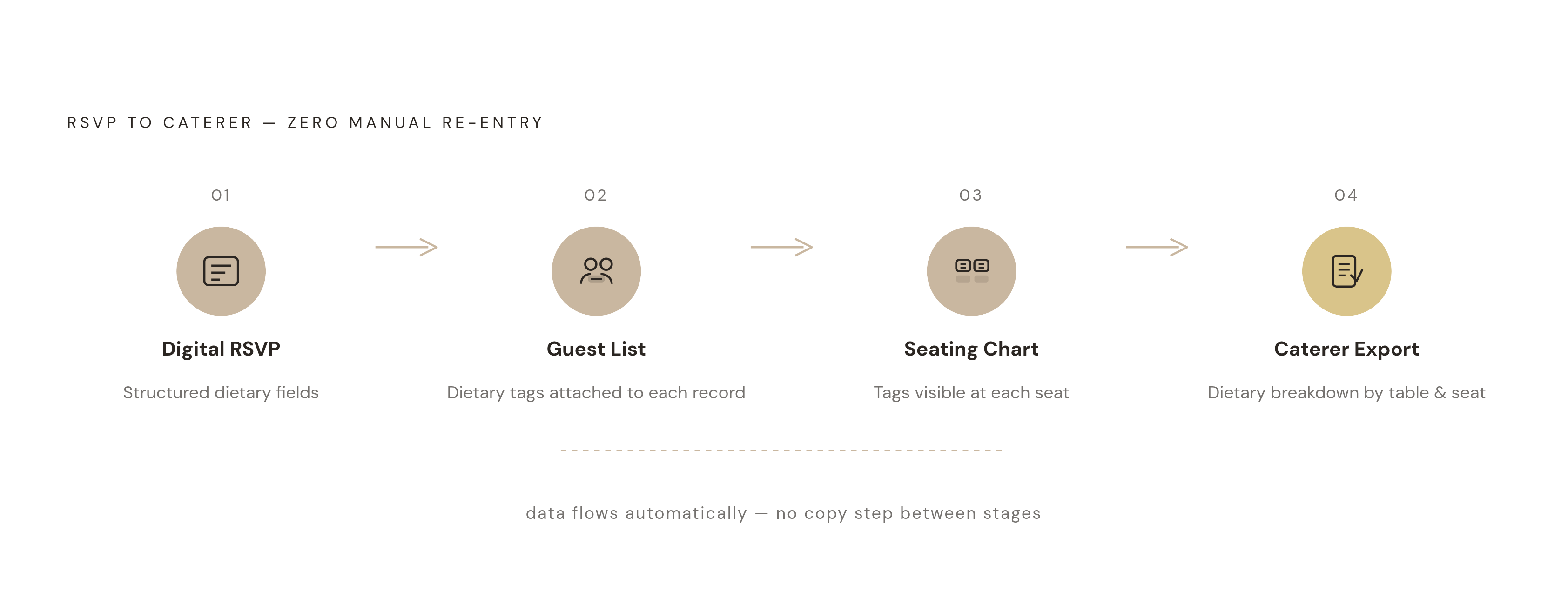
Step one is a digital RSVP with structured dietary fields. Step two is a guest list that attaches those answers as dietary tags to each guest record. Step three is a seating chart that shows the tags at the assigned seat. The final step is a caterer export with dietary breakdowns by table and seat. Nothing in that chain requires the couple to copy a dietary note into a second system.
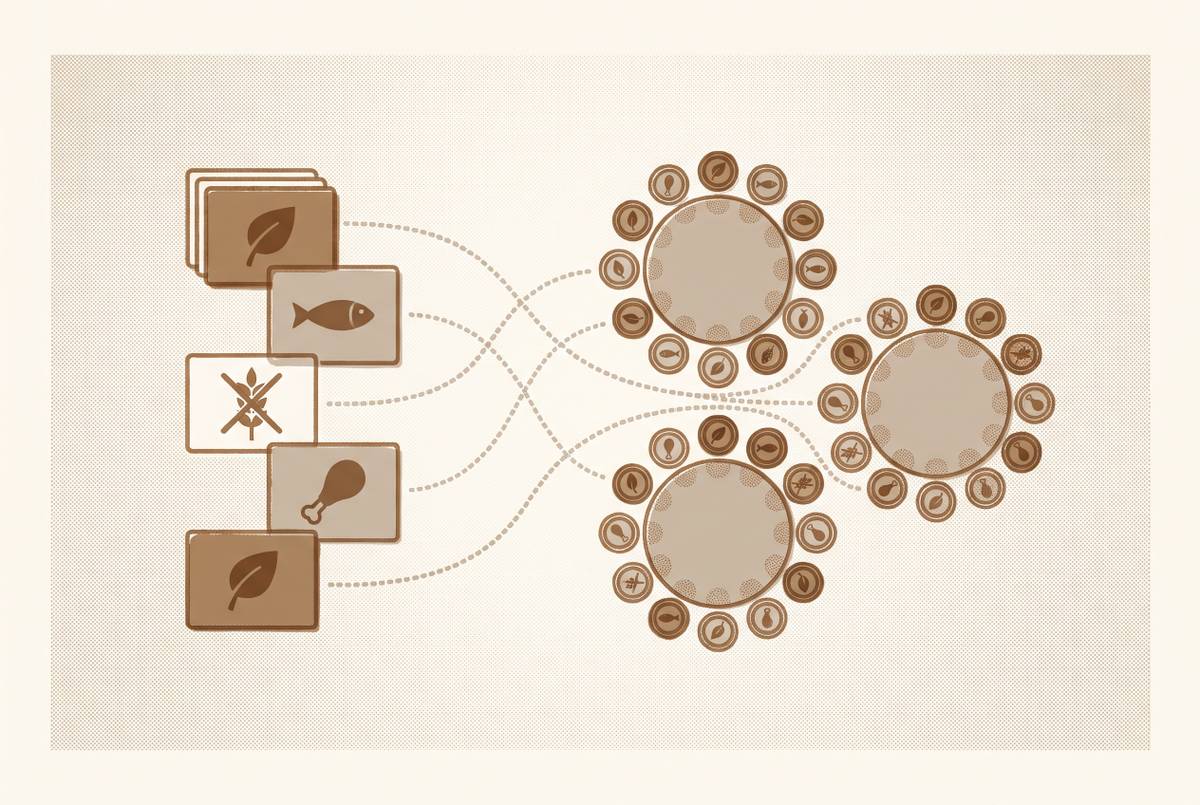
A tag hidden in a guest list tells the couple what a guest needs, but not where that need sits within the room. Visible flags let couples see clusters and, where useful, group guests with allergies or halal requirements at tables where servers can locate them reliably. The requirement stays connected to a person and a place.
If a guest adds a dietary note or changes a plus-one after submitting the RSVP, the seating chart should reflect that update automatically. Otherwise, the initial transfer only postpones the manual correction work. The caterer’s export then needs to preserve the same detail by table and seat, because a general dietary total or verbal briefing does not show where each meal needs to go.
Why the "free tools are good enough" objection fails specifically for dietary management
Free tools can do a good enough job with checklists, guest lists, and budget tracking. Couples who are careful can also manage dietary information manually. Some planning tasks work well enough without an automatic connection. For many tasks, the extra work is an acceptable trade-off. The distinction here is the consequence of a missed detail.
An awkward seating arrangement is a different kind of mistake from a missed nut allergy, which can result in anaphylaxis. The workflow asks couples to accept avoidable opportunities for errors with potentially medical consequences.
A spreadsheet with a Dietary Requirements column sent straight to the caterer already recognises the relationship between guest and requirement. It lacks an automatic connection to the seat. Couples using that workaround understand what the caterer needs, but are doing the joining work themselves. Automatic dietary sync does not inherently cost more than a tool without it. The argument is therefore not that couples should buy more expensive software, but that this function belongs in the basic job description.
How to evaluate whether a tool's dietary-to-seating connection is real or cosmetic
The practical test is to follow a dietary answer through the tool before committing to it. First, change a guest’s dietary requirement after the initial RSVP and see whether the seating chart updates automatically. A tool that imports the original answer but requires someone to maintain later changes has not removed reconciliation from the workflow. It has only moved it to a later stage.
Next, look at the seating view itself. Can the couple see that table seven has two coeliacs and one halal guest without opening a separate guest list? The flags need to appear per seat. Dietary information stored somewhere in the platform is not the same as dietary information visible where seating decisions happen, and that difference is easy to miss in a feature description.
Finally, look at the caterer export rather than taking the promise of a dietary report on trust. It should list requirements by table and seat number. A total tells the caterer how many meals need care, while the mapped export shows where they need to go. Any failure across these three tests breaks the chain at that point. The couple will have to supply the missing connection manually, regardless of what the feature is called.
What a generationally mixed guest list adds to the digital RSVP challenge
Guests in their twenties and thirties are generally comfortable with digital invitations and forms, while guests in their sixties and beyond may prefer paper, find digital invitations less formal, or need technical assistance. The practical workaround is a designated family member who enters paper responses into the shared digital system. This keeps the shared record intact. An RSVP deadline four to six weeks before the wedding, with automated reminders beforehand, helps get most replies in, while having a phone number for every guest lets the couple call those who have yet to reply.
The dietary-to-seating sync as the minimum standard a seating tool should meet
The familiar morning-of problems have a common structural cause. The caterer has an incomplete brief, a server cannot identify the guest who needs the gluten-free meal, or the table plan no longer matches the dietary summary. These things can go wrong even when the couple got the right answers from guests. Separate records create separate versions of the truth. Asking a couple to keep them aligned through every change assigns software’s work to people who already supplied the information.
A connected chain saves couples from the last-minute scramble that separate records cause. It does not turn the seating tool into a substitute for the caterer’s kitchen process controls or certified preparation. Its job is narrower and clear. The guest’s stated requirement must reach the seating view and the caterer’s table-level export, still tied to the guest, with nothing lost or copied by hand along the way.
Choose the seating tool before invitations go out, when the collection process can still be built around that connection. Mandatory structured RSVP fields, automatic updates, visible seat-level flags, and a mapped caterer export should be requirements for choosing a platform. A polished table layout is not enough. If the tool needs the couple to tell it again what a guest already reported, it is leaving a basic part of its job undone.