Best Wedding Website Builders With Free Plans
We sorted through the "free" versions that actually work and the ones hiding paywalls.

Wedding websites stopped being digital brochures a while back. Now they're command centers: RSVP tracking, dietary logistics, seating charts, the whole operation. Every builder slaps "free" on the pricing page, and that word means at least four different things depending on whose site you land on. Nobody tells you which one you got until you've already lost an evening to it.
Roughly 2 million couples are marrying in the U.S. this year. Average cost hovers around $34,000, so a genuinely free tool, one that doesn't ask for a card number up front, is rarer than it should be. Some of the obsession with getting this right traces straight back to Instagram and Pinterest, which set expectations no realistic budget can match. The website becomes the first place couples try to close that gap. Worth sorting out which "free" you're actually getting before you sink three pages into the wrong platform.
What "free" actually means across wedding website builders, and where the walls show up
Three versions of free exist. Platforms don't say which one you signed up for until you're neck-deep in it.
Some stay free the entire way through, core features and all, no upgrade required. Others are free until your guest list crosses some number nobody mentioned at signup. And some dangle free-to-start, then hide the stuff you actually need (custom domain, no platform logo, a seating chart that functions) behind a paywall you discover three months in.
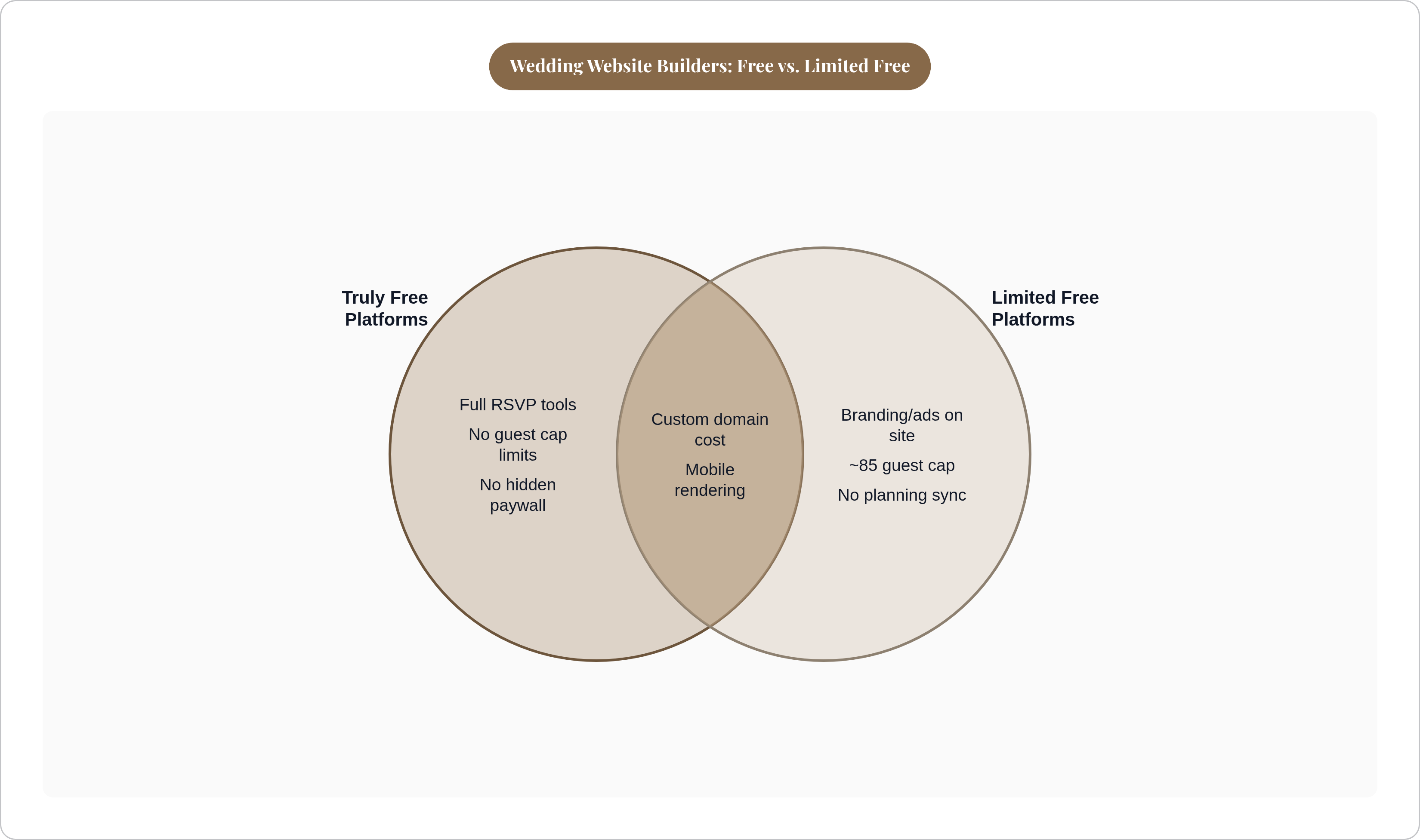
The walls tend to show up in the same four spots. Guest caps sitting around 85 people on certain platforms. Branding you can't strip without paying, so your "free" site carries somebody else's logo in the footer forever. Custom domains running around $15 to $20 extra, depending who's billing you. Then there's the one that actually eats your time: RSVP data that collects just fine and then goes nowhere, disconnected from the seating chart, waiting for you to retype it by hand.
That last one isn't a minor inconvenience, it's the whole ballgame. A tool that gathers RSVPs but can't hand that data to a seating chart hasn't saved you anything. It's just relocated the work to a spreadsheet you now have to build from scratch. The entire point of a free tool was cutting tasks, not rearranging them.
Payment structure is worth a second look too. Some platforms charge once, somewhere between $99 and $199, and you're done. Others bill monthly starting around $16, for however long your engagement lasts. Stretch that across 18 months and the subscription option often costs more than the one-time platforms, sometimes by a wide margin.
Platforms where the free plan actually holds up without an upgrade
The Knot's free tier is genuinely broad. RSVP management, checklist, budget tool, vendor contacts and reviews, all bundled together. Custom domain costs $20 extra, which feels fair given everything else included. Design is where you pay a different kind of price: text sits locked into fixed template zones, no live preview while you build, so you're guessing at the finished look until you hit publish. If you're already using The Knot's vendor marketplace, the integration is worth the tradeoff.
Lovebird takes design more seriously than most free builders bother to. It's genuinely free, with guest communication tools that go beyond basic RSVP collection. The company is smaller, so don't expect the third-party integrations the bigger names offer. But for couples who want the site to look good without paying for it, Lovebird holds its own.
WedBuild ties the whole process together, website, guest list, RSVPs, seating chart, budget, vendor comparison, in one connected flow. The dietary sync is the detail worth flagging. A guest notes a nut allergy or checks "vegetarian" at RSVP, and it lands automatically on the seating chart. No re-entry, no second spreadsheet living in a different tab. It was reportedly built by a couple who got fed up reconciling two lists by hand while planning their own wedding, which checks out given how specific the fix is. One-time payment, not a subscription. Built in Australia, works fine anywhere else.
Platforms where the free tier has real limits worth knowing upfront
Wix hands you more design freedom than anyone else in this lineup, over 70 free wedding templates, real layout control, RSVP built in. If a custom-looking site at zero upfront cost is what you're after, Wix delivers on that. The catch: branding and ads stick around on the free version, and removing them costs $16 a month minimum. It's also not built specifically for weddings, so there's no native connection between the site and any guest list or seating tool. You're stitching those together yourself.
Squarespace comes up often enough in searches that it's worth addressing directly, mostly so you don't burn an afternoon on it like I did once for a friend's site. There's no real free plan for wedding use. RSVP management needs manual setup with zero guest list sync. You end up paying general website builder prices for wedding features the tool simply doesn't have. Great for a portfolio. Wrong tool for this job.
Emergent takes a different approach: you describe your wedding, it generates a custom site from that description instead of making you pick through templates. Design-first couples might enjoy the novelty of that. A free plan exists, paid tiers start around $20 a month, and like Wix, there's no planning integration. The site exists on its own island.
What the free website needs to collect, and why dietary data trips up almost everyone
Somewhere between a third and nearly half of wedding guests show up with a dietary restriction or allergy of some kind. At 100 guests, that's 30 to 40 individual requirements your caterer needs to know precisely, not guess at over a phone call.
Most RSVP forms fail at the exact same spot: the open text field. "Any dietary restrictions?" with a blank box sounds considerate enough, but it produces a pile of answers someone then has to read one at a time and sort by hand. Checkboxes, on the other hand, export cleanly by category. Past 80 guests or so, that difference stops being a nice-to-have and starts being the gap between a calm phone call with your caterer and a frantic one three days before the wedding.
A decent free RSVP form covers attendance, plus-one names (visible only to guests who've actually been given one), meal choice, dietary restrictions via checkbox, and whether kids are coming. That's the entire job. Nothing complicated about it. Just remarkably easy to half-finish and move on.
Cross-contamination is the part that matters beyond the checkbox itself. Flagging "nut allergy" is step one. Getting that flag to the actual kitchen, intact, not buried in a text message from three weeks ago, is the part that keeps someone out of the ER. Timing helps here too: RSVP deadline 6 to 8 weeks out, firm reply cutoff at 3 to 4 weeks, since caterers want final headcounts 2 to 3 weeks before the date. Tack on another week for chasing stragglers. There's always one cousin who "never got the email."
The real failure mode is dietary data that collects perfectly and connects to nothing downstream. Couples end up reconciling the RSVP export against the seating chart by hand, usually on a morning that's already full. WedBuild's automatic sync between dietary flags and seating handles that step directly, so nobody's cross-referencing two spreadsheets at 7am the day of.
What a wedding website actually needs on it, and what couples keep leaving half-done
A handful of pages does the real work here, and couples skip one or two more often than you'd think.
The schedule of events needs date, time, and location for each part of the weekend, and multi-event weddings should restrict visibility by guest group, so out-of-town family doesn't accidentally wander into the groomsmen's golf outing. Venue and travel info, directions, parking, shuttle times, hotel blocks, matters for local guests just as much as the ones flying in. The RSVP with real dietary fields is the functional core of the whole site; everything else is decoration built around it. An "our story" page gives guests something to connect to before they show up. The FAQ covers attire, kids, photography rules, gifts, and cuts down the flood of last-minute texts couples get the final week. A hashtag is basically table stakes at this point; guests expect one whether you wanted to pick one or not.
Mobile rendering is the thing that matters most and gets thought about least. Most guests are pulling up the site standing in a parking lot trying to find the venue entrance, so a site that renders badly on a phone is actively working against you. Password protection ships standard on most free tiers now, worth turning on if you'd rather your home address not sit in public search results. QR-to-RSVP codes are common expectation territory too; some platforms generate them automatically, and it's worth checking before you commit to one.
AI writing tools have crept into this fast, for what it's worth. A good chunk of couples now use AI to draft site copy, especially the "how we met" section, since summarizing your entire relationship in three paragraphs is harder than it sounds when you're staring at a blank box at midnight. Most platforms still leave that writing to you entirely, no assist offered.
A site that only publishes and never collects anything back is doing half the job it was built for.
How to actually choose between these, based on what your wedding needs
Start with guest count. Under 85, most free tiers stay free for the whole engagement. Cross that number and some platforms start asking for an upgrade, so check the ceiling before you sink hours into pages you might end up rebuilding on a different platform entirely.
Then look at integration. If RSVP data flowing into a seating chart automatically matters to you, know that most standalone builders simply don't do this. They publish, they don't connect anything. WedBuild is built around that connection front to back, website through seating through day-of logistics. The Knot offers partial integration if you're already inside its vendor ecosystem.
If design outranks planning tools on your list, Wix's 70-plus templates or Emergent's AI-generated layouts are the stronger picks. Just budget the $16 a month for Wix's branding removal if a logo-free look actually matters to you.
Weighing a one-time fee against a subscription is just math, honestly. Engagements run 12 to 18 months on average, and $16 a month over that stretch adds up to more than what most one-time platforms charge outright. Before locking anything in, run the short checklist: checkboxes instead of open text for dietary data, does that data reach the seating chart without you touching it, is there a hidden guest cap somewhere, will the logo actually disappear when you pay, what does the domain cost once the free trial runs out.
A free plan is only as good as what it does once the guest list actually starts growing past the easy number. The label on the pricing page means nothing on its own. The feature list underneath it means everything.